Most .NET developers don't fail interviews because they aren't good enough.
They fail because nobody ever showed them the full map of what they are being measured against.
They learn whatever their current job needs, ship features for a few years, and assume that is enough. Then they walk into a senior interview and get asked about things they have never had a reason to touch.
A senior interview covers a broad range of topics: the C# runtime, async, ASP .NET Core internals, EF Core, security, system design, and how you reason about trade-offs. Miss a few of those areas, and a strong engineer can look unprepared.
The good news is that the surface is not infinite. It is a known map, and you can cover it on purpose.
I have spent more than 13 years building production .NET systems, I am a Microsoft MVP, and I have helped tens of thousands of developers level up through my newsletter.
This is the exact roadmap I would follow today to pass a .NET interview at any level - and to keep advancing once you are already a Senior.
In this post, we will explore:
- Step 1: Know your target and where you stand today
- Step 2: Master the technical foundation (the full map)
- Step 3: Build a portfolio that proves senior thinking
- Step 4: Turn your GitHub into your portfolio
- Step 5: Make LinkedIn bring interviews to you
- Step 6: Win the interview itself
Let's dive in.
Step 1: Know your target and where you stand today
You cannot prepare for a target you have not defined.
A mid-level interview and a senior interview measure different things, and a lead interview shifts the bar again.
If you aim at the wrong level, you either over-prepare on trivia or walk in under-prepared on the things that actually matter.
Here is what each level is really measured on - and the signal an interviewer is actually watching for:
- Mid-level: Can you write correct, clean code, use the framework properly, and finish a feature without constant hand-holding? What they see: you reach for the right tool and your code works.
- Senior: Can you make decisions and defend them? Senior interviews probe trade-offs, failure modes, performance, and whether your design survives real load and a real team. What they see: you name the trade-off before anyone asks for it.
- Lead and Staff: Can you own scope beyond a single service, mentor others, and design systems across boundaries? What they see: you scope the problem, not just the solution.
This matters even more in the AI era. As AI writes most of the code, interviews shift from writing code to judging it. The edge is no longer how fast you produce a CRUD endpoint - it is what tool and approach you would use, whether you can spot the bug, the security hole, or the wrong abstraction in code an AI just generated.
If you are already senior and want to advance, the trap is different. You have deep knowledge in the few areas your current job covers, but quite a few gaps elsewhere.
List the topics you quietly hope won't come up. That list is your study plan. Moving up means turning those gaps into strengths and learning to talk about architecture and trade-offs, not just code.
Once you know the target, be brutally honest about where you stand against it.
Most developers overestimate the areas they use daily and are unaware of their blind spots.
The async questions feel easy, then a single question about ValueTask or the garbage collector exposes a gap they never knew existed.
So run a five-minute self-audit. For each area, answer one question out loud, with no notes:
- C#: can you explain when a
structandrecordis a better choice than aclass, and what boxing actually costs? - Async: can you explain what
ConfigureAwait(false)does, and when it stops mattering? - ASP .NET Core: can you explain how model binding turns an HTTP request into your method parameters?
- EF Core: can you explain why a specific query is slow, and how you would prove it?
- Architecture: can you defend one design decision from your last project, with the trade-off you accepted?
- Security: can you explain the difference between authentication and authorization with a concrete example?
- Reliability: can you explain what your system does when a dependency it calls goes down?
Any question you stumble on is a gap. That is where your preparation time should go - not on the areas that already feel easy.
Note: The fastest way to waste preparation time is to keep studying what you already know. Find the gaps first, then study those.
If you want an honest baseline before you start, take the free .NET Developer Interview Test created by me. It's a real interview run as tests; it adapts to how you answer the questions, increasing or decreasing their difficulty.
It scores you from Junior to Senior+ across the main areas and tells you exactly where to focus. Once completed, you will receive a free report on your strengths and weaknesses and the knowledge gaps you need to fill. In the report, you will find an explanation for each correct answer.
Once you know the target and your gaps, the next step is closing them - and that starts with the technical foundation.
Step 2: Master the technical foundation (the full map)
This is the part most people get wrong. They study random videos and scattered blog posts and hope the topics eventually add up to a complete picture.
They never do. A senior .NET interview draws from a surprisingly fixed set of areas.
Learn these on purpose, and very little will surprise you. For each area I have added the senior signal - the failure mode you are expected to explain, not just the topics you are expected to know:
- C# language and runtime:
- Value vs reference types, boxing and unboxing, strings and immutability, generics and variance, records, pattern matching, and nullable reference types.
- Then how it actually runs: the CLR, the JIT, tiered compilation, and AOT.
- Senior signal: explain why a
recordthat holds aList<T>still breaks value equality - the generatedEqualscompares the list by reference, not by its contents.
- Async, threading, and memory:
async/awaitand the state machine behind it,TaskvsValueTask,ConfigureAwait, and cancellation tokens.- Then concurrency: locks,
SemaphoreSlim, and channels. - Then memory: the garbage collector, the large object heap,
IDisposable, andSpan<T>. - Senior signal: explain why
async voidhides exceptions until they crash the process, and why blocking on.Resultor.Wait()can deadlock.
- ASP .NET Core:
- The host and the request pipeline, middleware, filters, model binding, Minimal APIs vs controllers, and dependency injection lifetimes (transient, scoped, singleton).
- Senior signal: explain why the order of
UseAuthenticationandUseAuthorizationmatters, and what quietly breaks if you swap them.
- Data and EF Core:
- Change tracking, relationships, loading strategies, migrations, concurrency handling, and query performance.
- This is where a lot of senior interviews dig in, because it is where production systems hurt.
- A good warm-up is Top 10 Mistakes Developers Make in EF Core.
- Senior signal: explain how lazy loading turns one query into an N+1 storm, and when a projection or
AsNoTrackingis the fix.
- API design and architecture:
- REST done properly, versioning, validation, and how to structure an application so it scales with the team.
- Two solid references are Best Practices for Building REST APIs and N-Layered vs Clean vs Vertical Slice Architecture.
- Senior signal: explain why a non-idempotent
POSTdouble-charges a customer when the client retries, and how an idempotency key prevents it.
- Security and identity:
- Authentication vs authorization, JWT and refresh tokens, cookies, ASP .NET Core Identity, OAuth 2.0 and OpenID Connect, and CORS.
- Senior signal: explain why a JWT must be validated for signature, issuer, audience, and expiry - not just decoded - and why long-lived access tokens are risky without refresh-token rotation.
- Performance and reliability:
- Caching layers, output caching, rate limiting, structured logging, health checks, and observability with OpenTelemetry.
- Senior signal: explain how retries without a circuit breaker turn a small outage into a full one, and how a cache stampede hammers the database when a hot key expires.
For each area, train yourself to answer the "why," not just the "how."
Anyone can recite that scoped services live for one request. A senior explains what breaks when you inject a scoped service into a singleton, and why.
Note: Interviewers rarely want trivia. They want to see that you understand the trade-off behind a feature and can reason about it under pressure.
This is exactly the surface my .NET Senior Playbook was built to map. It is 800+ questions across 54 chapters covering every area above, with a test after each chapter so you prove a topic you're stuck on instead of assuming it did.
Knowing the material is half the battle. The other half is proving it - and that starts with what you build.
Step 3: Build a portfolio that proves senior thinking
A long list of buzzwords on a resume convinces no one.
One real project you can talk about in depth convinces everyone.
Two finished projects beat ten abandoned toy repos. Depth signals seniority.
Pick a problem with real rules, not another to-do app. Senior thinking shows in edge cases, state, and decisions - so the project has to have some.
A few ideas that punch above their size:
- An event-driven order system. A message queue between services, the outbox pattern for reliable publishing, idempotent consumers, and retries with a dead-letter queue. It proves you can reason about failure and message delivery.
- A URL shortener that survives load. Rate limiting, output caching, and a plan for hot keys and cache stampedes. Small surface, but it shows you think about reads, writes, and scale.
- A resilient third-party integration. Wrap a real external API with retries, a circuit breaker, timeouts, and graceful degradation when it is down. This is the everyday reality of production work.
Pick one, finish it, and make it genuinely good. Then build it to a standard a reviewer recognizes:
- Tests. Unit and integration tests show you care about correctness, not just the happy path (use xUnit and TestContainers).
- CI. A simple pipeline that builds and runs the tests on every push signals that you work like a professional (use GitHub Actions).
- Containerization. A
Dockerfileand adocker-composefile show you understand how the thing actually runs. - A sensible architecture. Structure it so it scales with a team - N-Layered vs Clean vs Vertical Slice Architecture walks through the trade-offs.
Write down your trade-offs - this is the part that reads as senior.
Most portfolios show what was built. Almost none explain why. A short "Design decisions" section in the README is worth more than another feature, because it is exactly what an interview probes:
markdown## Design decisions - **Modular monolith over microservices.** One team, one deploy. Microservices would have added ops overhead we didn't need yet. - **Outbox pattern for events.** An order and its "OrderPlaced" event commit together, so we never publish an event for a transaction that rolled back. - **PostgreSQL over a document store.** The data is relational and we need transactions; I'd reach for a document database only where the access pattern justifies it.
In the interview, you will be asked why you made a choice. A project you built and wrestled with gives you real answers, with the trade-offs you already weighed.
Note: You do not need ten projects. You need one or two that you can defend line by line.
If you want a shortlist of project ideas that are sized to impress without taking a year to build, the .NET Side-Projects Guide that ships with the Playbook lays them out.
A great project only helps if people can find it - which is what your GitHub is for.
Step 4: Turn your GitHub into your portfolio
Your GitHub profile is one of the first places a serious interviewer looks.
Most developer profiles look abandoned. Improve yours.
Start with a profile README that works like a landing page.
GitHub renders the README from a public repo named exactly username/username at the top of your profile.
Most people skip it or fill it with noise.
A good one tells a visitor who you are, what you build, and where to go next - in about ten seconds.
Identity first, proof second, contact last:
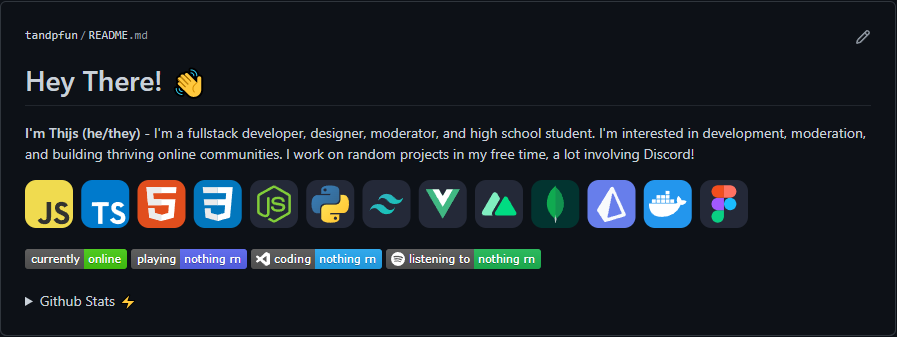
markdown# Hi, I'm Anton 👋 Senior .NET engineer. I build backend systems with C#, ASP .NET Core, and PostgreSQL. ### What I'm working on - A production-ready modular monolith template used by 10 teams - Going deep on .NET Aspire and OpenTelemetry ### Selected work - [modular-monolith-template](https://github.com/you/modular-monolith-template) — production-ready .NET starter - [your-best-repo](https://github.com/you/your-best-repo) — one line on what it does and why it's good ### Tech I work with <p align="center"> <img src="https://skillicons.dev/icons?i=cs,dotnet,aspdotnet,azure,docker,postgres,redis,rabbitmq" /> </p> ### Reach me - Blog: https://antondevtips.com - LinkedIn: https://linkedin.com/in/you
That centered row of tech icons comes from skillicons.dev - pass it a comma-separated list, and it returns one clean image.
One or two rows are enough:
Pin three to six repositories that prove your level - not whatever you touched last.
You get six slots, and four strong repos beat six mediocre ones.
Pick each one to answer a different question about you:
- One flagship with real architecture, tests, and a CI pipeline. This is the repo people open and read; everything else supports it.
- A library or NuGet package with a clean public API.
- A full-stack app to show you ship features end to end.
- A DevOps or infra repo with Dockerfiles and GitHub Actions.
- One or two sharp, small tools that are easy to read in a minute.
The honest filter: would you screen-share this repo in an interview without hesitation? If not, it is not ready - so archive the finished-but-dead projects and make the weak ones private.
A clean grid of strong repos is much more compelling in interviews.
Give every pinned repo a real README. Each one needs to explain what it does, why it exists, and how to run it (dotnet run or docker compose up), ideally with a screenshot or a short usage example.
Someone should understand the project within ten seconds of opening it.
An empty README can work against you.
Write commits and pull requests a stranger can follow. The gap between a junior-looking profile and a senior one is often visible in a single commit message.
Before: "fix", "update", "asdf"
After: "Add an idempotency key to the payment endpoint to prevent double charges"
The second one tells a reviewer that you think about correctness and edge cases. On the two or three repos you are proud of, even a short PR description - what changed, why, and how you tested it - turns into a free portfolio piece months later.
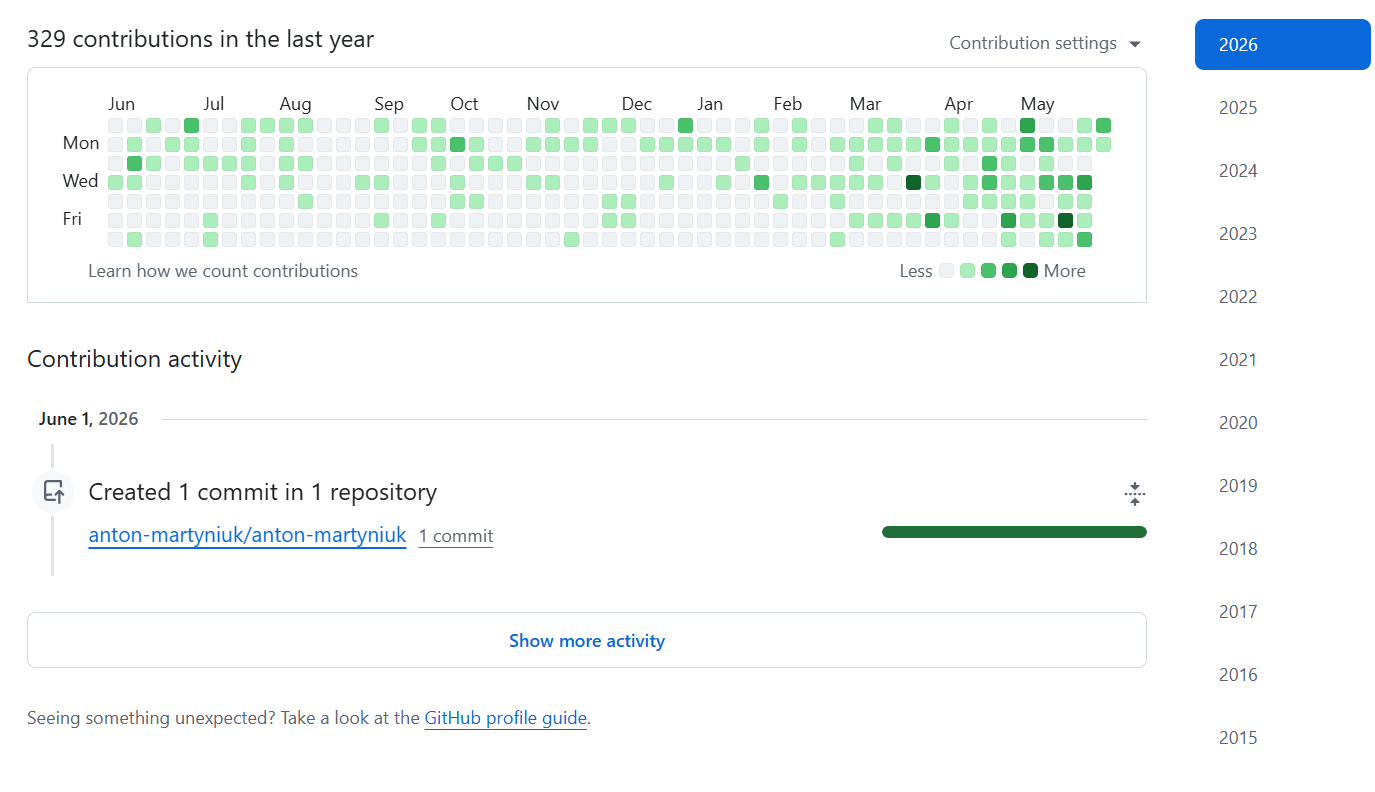
Let your contribution graph reflect real work. A green graph means nothing if the commits are noise, and a faked streak is easy to spot. Let it be a byproduct of shipping.
If most of your work lives in private repos, turn on "Include private contributions" so the graph tells the truth - it shows the green squares without revealing repo names, code, or messages:
Cross-link everything. Put your GitHub in your LinkedIn Featured section and your blog in your GitHub - you can even auto-list your latest posts in the README with a GitHub Action. Whichever profile someone lands on should point to the rest.
The GitHub Profile Optimization Guide in the Playbook walks through this step by step if you want a checklist to follow.
Once your work is presentable, you want opportunities to come to you - that is what LinkedIn is for.
Step 5: Make LinkedIn bring interviews to you
The best interview is the one a recruiter brings to you.
LinkedIn, done right, turns your profile into an inbound channel instead of a place you only visit when you are job hunting.
A few things move the needle far more than the rest.
1. Your headline is the most-seen line you own. It shows under your name, in every search result, next to every comment you leave, and on every connection request you send. You get 220 characters; most developers waste them on "Software Engineer at X". Use a three-slot formula instead:
[Role] | [Stack] | [Headline accomplishment]
The role uses the words a recruiter types into a search, the stack lists three to five technologies in the standard way, and the accomplishment is one concrete win. Here is the jump across levels:
-
Mid-level — Before: Backend Engineer at TechCorp | Always learning
-
After: Backend Engineer at TechCorp | .NET, EF Core, RabbitMQ | Cut API response time from 800ms to 90ms
-
Senior — Before: Senior Engineer at TechCorp
-
After: Senior .NET Engineer | C#, ASP .NET Core, Azure | Built payment platform processing $20M/year
-
Looking for work — Before: Open to opportunities | Senior Engineer
-
After: Senior .NET Engineer (Open to remote) | C#, ASP .NET Core, PostgreSQL | Migrated 40 services with zero downtime
Each "After" is searchable and specific, signaling seniority before anyone clicks. No "passionate", no "love clean code", no stack soup and generic fluff.
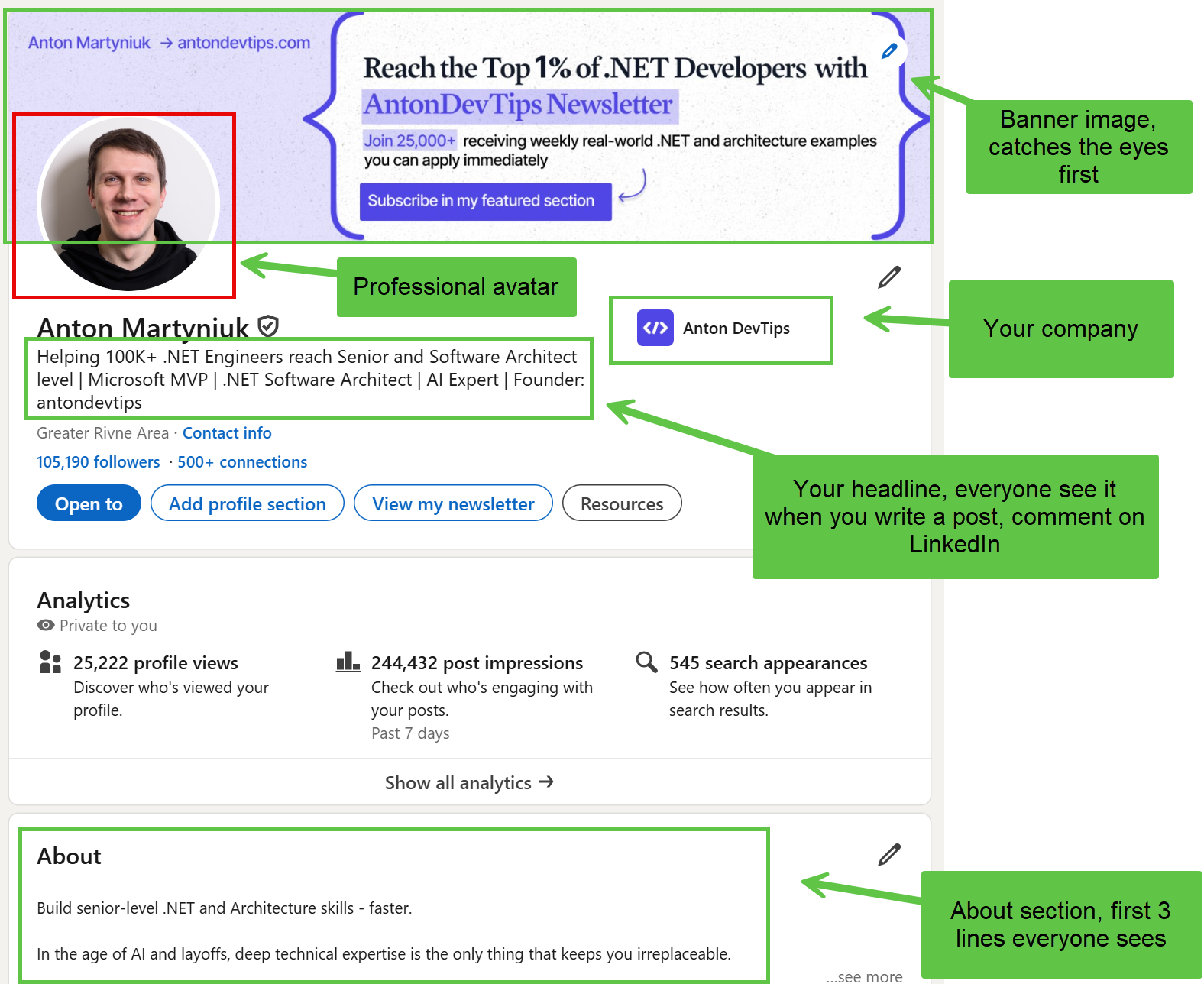
2. The About section decides whether they message you. LinkedIn collapses it after about three lines, so the two lines above "See more" do most of the work - lead with what you build and one proof point:
Keep it to four short blocks. Here is a full template you can model on:
I build payment APIs in .NET. Over the last three years, I shipped a platform that processes $20M a year for 80,000 users. I'm a Senior .NET Engineer at TechCorp, shipping ASP .NET Core services on Azure with a focus on reliability and performance. What I've shipped: - A payment gateway processing $20M/year on ASP .NET Core, EF Core, and PostgreSQL - Cut average API response time from 800ms to 90ms by reworking the caching layer - Led the migration of 12 services to .NET 10 with zero downtime Tech I work with: C#, ASP .NET Core, EF Core, PostgreSQL, Azure, Microservices, Docker, RabbitMQ, OpenTelemetry How to reach me: Best by email at [email protected]. Open to senior backend roles, remote-first.
Short sentences, active voice, concrete words. About 200-300 words that read in under a minute.
3. Fill Skills and Featured - they are pure leverage. Add 10 to 30 skills with their standard names (ASP .NET Core, not Asp Core) and pin the top three you most want to be hired for;
Skills are one of the highest-weight fields in LinkedIn Recruiter's search.
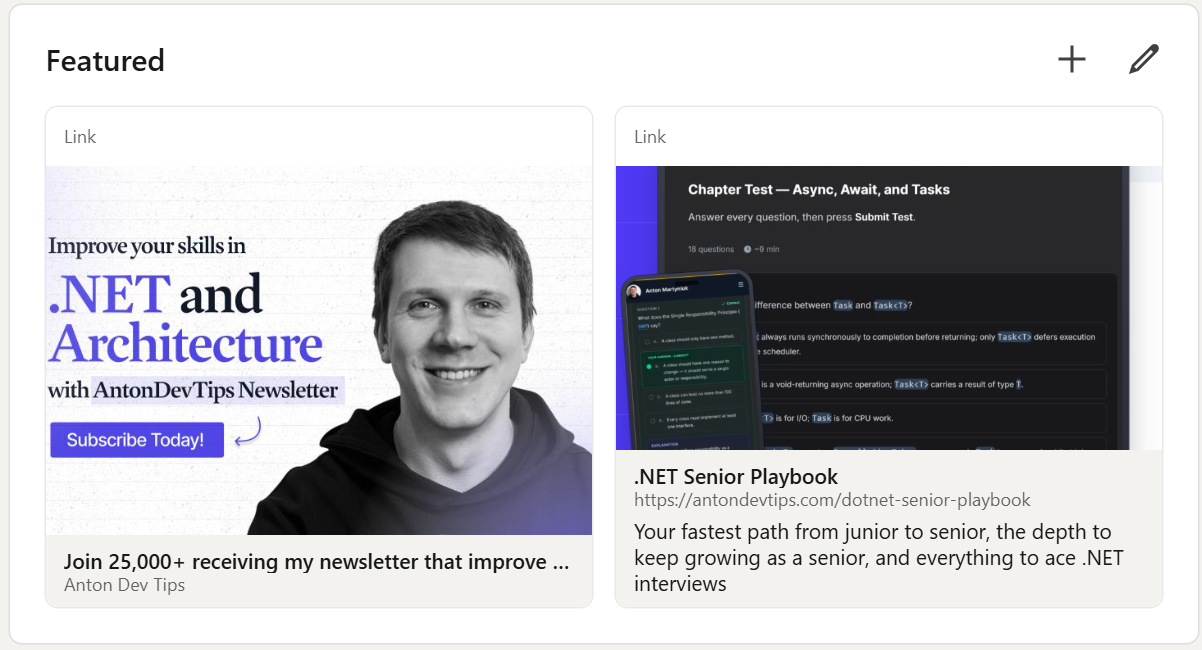
Featured is the one place on LinkedIn where you can link straight to your work, so pin proof, not posts - your GitHub, a portfolio, one or two real technical articles:
4. Post just often enough to look active. You do not need to become a creator. Post 1 to 4 short posts a month, plus a few thoughtful comments a week, to keep your Activity panel alive so a recruiter who lands on your profile sees you are active and that you give value to other people. A good developer post takes fifteen minutes and follows a simple shape: a one-line hook (a result or a problem), three or four plain lines on what you did, and one takeaway another engineer can use.
And keep connecting with .NET engineers, leads, and recruiters - opportunities often flow through people.
Note: You do not need to be an influencer. You need a profile that makes a recruiter think, "This person looks like a senior engineer," in 3 seconds.
If personal branding is not your strong suit, the LinkedIn Profile Optimization Guide in the Playbook provides templates so you do not start from a blank page.
With the foundation, the portfolio, and the presence in place, only one thing is left - the interview itself.
Step 6: Win the interview itself
Knowing the material and passing the interview are not equal.
You can understand a topic perfectly and still freeze when asked to explain it out loud.
The interview rewards practice, structure, and calm. Train for it directly:
- Practice and repeat Reading an answer and nodding feels like learning, but it isn't. Answer questions out loud first, then check. Retrieval is what actually builds recall under pressure - and it is why every chapter in the Playbook is a question you answer before the solution is revealed.
- Prepare behavioral stories. Have three or four stories ready in STAR form (Situation, Task, Action, Result): a hard bug, a disagreement you resolved, a project you led, a mistake you learned from.
- Walk through a system design out loud. Practice taking a vague prompt - "design a notification service" - and talking through requirements, data model, APIs, scaling, and trade-offs.
- Know your numbers. Research the salary range for the role and level before the call, and decide your floor in advance for negotiation.
- Ask them questions. Smart questions about the team, the codebase, and how they handle technical debt show seniority and let you judge whether the job is right for you.
A simple structure keeps you calm during system design: clarify the requirements, sketch the data model, define the main APIs, then talk through how it scales and where it can fail.
The Soft Skills Interview Playbook and the Real-World System Design Questions that come with the Playbook are built for exactly this final step - the part most other courses leave out.
That is the whole roadmap, and my course just puts it together.
Summary
Let's recap the roadmap:
- Know your target and your gaps. Define the level you are interviewing for, then find your blind spots before you study anything.
- Master the full technical map. Cover C#, async and memory, ASP .NET Core, EF Core, security, architecture, and reliability.
- Build one or two real projects. Depth beats numbers. Show tests, CI, Docker, a README, and your trade-offs.
- Make your GitHub a portfolio. A profile README, pinned repos, and clean commits that signal how you think.
- Turn LinkedIn into an inbound channel. A specific headline and consistent presence bring interviews to you.
- Practice the interview as its own skill. Retrieval, STAR stories, system design out loud, salary research, and good questions.
There is no single shortcut to passing interviews. There is only closing the gap between what you know and what you can prove.
Do these six steps in order, and the interview stops feeling like a lottery.
Whenever you're ready, here's how I can help you:
The .NET Senior Playbook is built to:
- Fast-track you from junior or mid-level to senior
- Keep you growing as a senior
- Help you beat any .NET interview
It covers everything: C#, ASP .NET Core, EF Core, and system design. You answer each question first, reveal the solution, and take a test after every chapter to prove it stuck.
Finish the course and earn a verifiable certificate for your LinkedIn profile.
Not sure where you stand? Take the free .NET Developer Interview Test:
- Find out your real level, from Junior to Senior+
- 15 minutes across 13 areas of C#, .NET, ASP .NET Core, and System Design
No credit card required. When you finish, you get a personalized report: your level, your strongest areas, and where to focus next - the perfect way to benchmark yourself before you start.
Which of these six steps is the one holding you back right now? Hit reply and tell me - I read every message.
Hope you find this newsletter useful. See you next time.

Comments