
Build Smarter with OutSystems Agent Workbench (Sponsored)
Enterprise teams often face the same pain points: complex deployments, scattered governance, and endless security reviews that slow delivery to a crawl. OutSystems Agent Workbench fixes that.
With built-in security, scalability, and governance, OutSystems takes the heavy lifting off your plate — so your developers can focus on solving business problems, not managing infrastructure. Unlike low-code tools that trade speed for control, Agent Workbench gives teams full visibility and enterprise-grade compliance from day one.
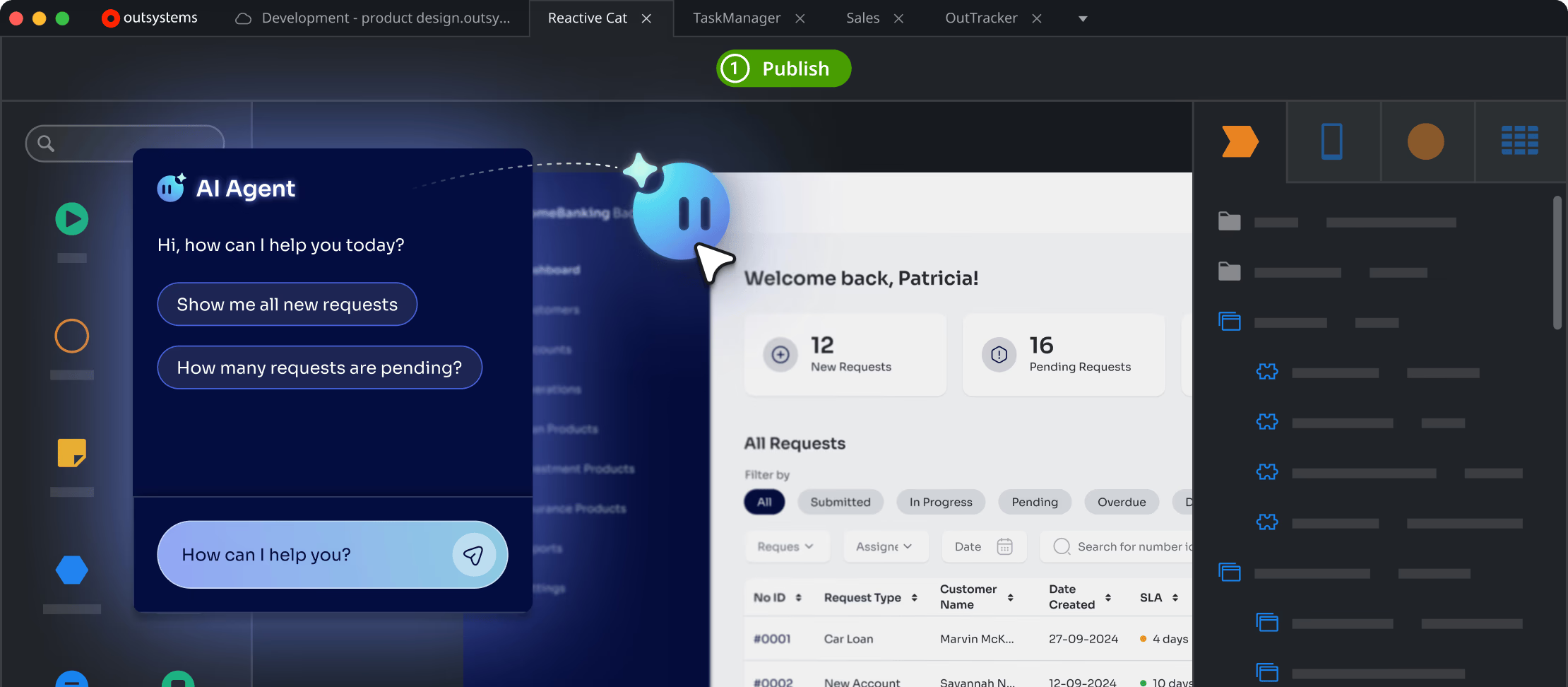
Architects love OutSystems for its centralized management, automated guardrails and that it scales smoothly without blowing up cloud costs. Developers love OutSystems because it just works — without needing extra plugins or external policies.
OutSystems might be the one tool that finally makes low-code development truly enterprise-ready.
Introduction
You've probably built dozens of APIs that you called "RESTful". You used HTTP methods correctly, structured your URLs properly, and returned JSON responses.
But here's the truth: if your API doesn't include hypermedia links, it's not truly RESTful.
HATEOAS (Hypermedia as the Engine of Application State) is the most misunderstood and frequently skipped constraint of REST. Without it, your frontend clients become tightly coupled to your API structure, hardcoding URLs and duplicating business logic to determine which actions are available.
Today, we will learn why most APIs ignore HATEOAS, how it actually works in practice, and when you should invest the effort to implement it properly.
In this post, we will explore:
- What is REST and What Are The REST Constraints
- Richardson Maturity Model
- Why 90% of APIs Are Not RESTful
- HATEOAS in Practice in ASP .NET Core
- Frontend Application Using HATEOAS
- When HATEOAS Pays Off — And When It Doesn't
Let's dive in.
What is REST and What Are The REST Constraints
REST (Representational State Transfer) is not a protocol or a standard. It's an architectural style that Roy Fielding introduced in his doctoral dissertation.
REST was designed to leverage the architecture that made the web successful.
The web works because it's decoupled, scalable, and clients (browsers) don't need to know the entire structure of every website upfront. They follow links. REST applies this same principle to APIs.
When you build a RESTful API, you're not just creating endpoints that return data. You're building a system where the server guides the client through available actions, just like a website guides you through clickable links.
For an API to be truly RESTful, it must follow six architectural constraints:
1. Client-Server Architecture
The client and server are separated. The client handles the user interface and user state, while the server manages data storage and business logic. This separation allows each side to evolve independently. You can update your backend implementation without breaking clients, as long as you maintain the contract.
2. Stateless
Each request from the client must contain all information needed to understand and process that request. The server doesn't store client context between requests. Statelessness makes your API more scalable because any server instance can handle any request without needing to know what happened before.
3. Cacheable
Responses must explicitly indicate whether they can be cached or not. You use HTTP headers like Cache-Control, ETag, and Last-Modified to tell clients and intermediaries (like CDNs) what they can cache and for how long.
4. Uniform Interface
This is the fundamental constraint that makes REST different from other architectural styles.
It has four sub-constraints:
- Resource Identification: Resources are identified by URIs. A resource is any concept that can be named - a user, an order, a product.
- Resource Manipulation Through Representations: When you receive a resource representation (like JSON), it contains enough information to modify or delete that resource.
- Self-Descriptive Messages: Each message includes enough information to describe how to process it. HTTP methods (GET, POST, PUT, DELETE) tell you the operation. Content-Type headers tell you the format.
- Hypermedia as the Engine of Application State (HATEOAS): Responses should include links to related actions and resources, guiding clients on what they can do next.
5. Layered System
A client shouldn't be able to tell whether it's connected directly to the end server or to an intermediary. You can add load balancers, caches, or API gateways without the client knowing about it. This constraint enables scalability by allowing you to distribute services across multiple servers.
6. Code on Demand (Optional)
The only optional constraint. Servers can extend client functionality by transferring executable code, like JavaScript. Most APIs don't use this constraint, and that's perfectly fine.
Richardson Maturity Model
In practice, we needed a way to measure how close an API gets to being truly RESTful.
Leonard Richardson created a maturity model that breaks down REST adoption into four levels.
Level 0: The Swamp of POX (Plain Old XML)
At this level, you're using HTTP as a transport mechanism, nothing more. You have a single URI endpoint that typically uses only POST requests, and the request body contains all the information about what operation to perform. This is essentially RPC (Remote Procedure Call) over HTTP. SOAP APIs often operate at this level.
Endpoint example: /api/service
Level 1: Resources
At this level, you start breaking down your single endpoint into multiple resource-based URIs. Instead of one endpoint handling everything, you have different URIs for different resources.
Endpoint examples:
/api/orders, /api/customers, /api/products
Level 2: HTTP Verbs
Now you're using HTTP methods correctly. GET for retrieving data, POST for creating, PUT for updating, and DELETE for removing. You also use HTTP status codes meaningfully.
Endpoint examples:
- GET
/api/orders/123- retrieve an order - POST
/api/orders- create a new order - PUT
/api/orders/123- update an order - DELETE
/api/orders/123- delete an order
Proper status codes: 200 OK, 201 Created, 404 Not Found, etc.
Most APIs that call themselves RESTful are at this level. You're using resources, HTTP methods, and status codes correctly. Your API is predictable and follows web standards. But you're still missing the last piece.
Level 3: Hypermedia Controls (HATEOAS)
This is true REST. Your API responses include links to related resources and available actions. The client doesn't need to know your URL structure upfront. The server tells the client what it can do next.
Why 90% of APIs Are Not RESTful
Most APIs stop at Level 2, and it works.
Such APIs are predictable; they follow HTTP standards, and developers know how to build them.
Reaching Level 3 requires:
- More implementation effort
- Larger response payloads
- Client code that knows how to parse and follow links
- A shift in thinking about how APIs should work
Let's explore why so many APIs skip HATEOAS and what problems this creates.
1. It's More Work
Implementing HATEOAS means generating links for every response.
A simple GET /orders/123 response goes from this:
json{ "id": "123", "status": "Pending", "total": 99.99 }
To this:
json{ "id": "123", "status": "Pending", "total": 99.99, "links": [ { "rel": "self", "href": "/orders/123", "method": "GET" }, { "rel": "pay", "href": "/orders/123/payment", "method": "POST" }, { "rel": "cancel", "href": "/orders/123", "method": "DELETE" } ] }
That's extra code to write, maintain, and test.
2. Larger Payloads
Every response becomes bigger because you're including link objects. When you return a list of 100 orders, you're now including links for each one. Your response size grows significantly. For mobile applications on slow networks, this matters. For high-traffic APIs, the bandwidth costs add up.
3. No Standard Format
Unlike HTTP methods or status codes, there's no single standard for hypermedia. This lack of standardization means every team invents their own approach, making it harder for client developers to learn and adopt.
4. Client Complexity
Your frontend now needs to parse links and use them instead of hardcoded URLs.
5. Feels Like Over-Engineering
When you're shipping features, HATEOAS feels like over-engineering. Why add complexity when hardcoded URLs work fine? The benefits of HATEOAS appear later, during maintenance and evolution. But deadlines are now.
6. Internal APIs Don't Need It
If you control both the frontend and backend, deploying them together, why bother with hypermedia? You can update both sides simultaneously.
Skipping HATEOAS seems practical until you hit these issues:
1. Tight Coupling
Your frontend hardcodes URLs like /orders/123/payment. When you refactor and move the payment to /payments?orderId=123, it causes every client to break.
2. Duplicated Business Logic
Your backend knows an order can only be cancelled if it's not yet shipped. But your frontend also implements this check to hide the Cancel button appropriately.
Now you have the same business rule in two places. When rules change, you update both. When you forget, users see buttons that trigger 403 Forbidden errors.
3. Poor Discoverability
New developers joining your project need comprehensive documentation to understand what actions are possible on each resource in each state. With HATEOAS, they can explore by following links. The API tells them what's possible.
Enough theory, let's see how HATEOAS works in practice.
HATEOAS in Practice in ASP.NET Core
We'll build an Orders API in ASP.NET Core that implements HATEOAS.
First, we need a way to represent hypermedia links.
Here's our LinkResponse model:
csharppublic record LinkResponse { public required string Href { get; init; } public required string Rel { get; init; } public required string Method { get; init; } }
Each link tells the client:
Href: Where to send the requestRel: What this link represents (relationship type like "self", "update", "delete")Method: Which HTTP method to use
Next, we need a way to generate links. Here's the LinkService:
csharppublic sealed class LinkService( LinkGenerator linkGenerator, IHttpContextAccessor httpContextAccessor) { public LinkResponse Create( string endpointName, string rel, string method, object? values = null, string? controller = null) { var href = linkGenerator.GetUriByAction( httpContextAccessor.HttpContext!, endpointName, controller, values); return new LinkResponse { Href = href ?? throw new InvalidOperationException("Invalid endpoint name provided"), Rel = rel, Method = method }; } }
This service uses ASP.NET Core's LinkGenerator to create URLs based on action names.
When you rename routes, the links update automatically.
Our response models need to carry links.
Here's OrderResponse:
csharppublic record OrderResponse { public required Guid Id { get; init; } public required string OrderNumber { get; init; } public Guid? CustomerId { get; init; } public required DateTime OrderDate { get; init; } public required decimal TotalAmount { get; init; } public required OrderStatus Status { get; init; } public DateTime? ShippedDate { get; init; } public string? ShippingAddress { get; init; } public required List<OrderItemResponse> Items { get; init; } public List<LinkResponse> Links { get; set; } = []; }
The Links property holds all available actions for this order.
It starts empty, and we populate it based on the order's current state.
Now comes the interesting part. Let's look at the OrdersController and see how it includes links:
csharp[HttpGet(OrdersRouteConsts.GetOrderById)] public async Task<IActionResult> GetOrderById( Guid id, GetOrderByIdHandler handler, LinkService linkService, CancellationToken cancellationToken) { var response = await handler.HandleAsync(id, cancellationToken); if (response is null) { return NotFound(); } response.Links = [ linkService.Create(nameof(GetOrderById), "self", HttpMethods.Get, new { id }), linkService.Create(nameof(CreateOrder), "create", HttpMethods.Post), linkService.Create(nameof(UpdateOrder), "update", HttpMethods.Put, new { id }), linkService.Create(nameof(DeleteOrder), "delete", HttpMethods.Delete, new { id }), linkService.Create(nameof(OrderItemsController.AddItemToOrder), "add-item", HttpMethods.Post, new { orderId = id }, nameof(OrderItemsController).Replace("Controller", "")) ]; return Ok(response); }
Every time we return an order, we include links to:
self: Get this order againcreate: Create a new orderupdate: Update this orderdelete: Delete this orderadd-item: Add an item to this order
We reference action names like nameof(UpdateOrder). If we refactor our route structure, the links stay correct.
Here's how we handle order items:
csharp[HttpGet(OrderItemsRouteConsts.GetOrderItemById)] public async Task<IActionResult> GetOrderItemById( Guid orderId, Guid itemId, GetOrderItemByIdHandler handler, LinkService linkService, CancellationToken cancellationToken) { var response = await handler.HandleAsync(orderId, itemId, cancellationToken); if (response is null) { return NotFound(); } response.Links = [ linkService.Create(nameof(GetOrderItemById), "self", HttpMethods.Get, new { orderId, itemId }), linkService.Create(nameof(UpdateOrderItem), "update", HttpMethods.Put, new { orderId, itemId }), linkService.Create(nameof(DeleteOrderItem), "delete", HttpMethods.Delete, new { orderId, itemId }) ]; return Ok(response); }
Each order item gets links to view, update, or delete itself.
When a client calls GET /orders/123, they receive JSON like this:
json{ "id": "7c533935-ee09-4435-9c00-2a68df13fbca", "orderNumber": "ORD-2025-001-UPDATED", "customerId": "f09f4e75-8a6d-4640-9893-c96050883b2b", "orderDate": "2025-10-14T17:41:11.868504Z", "totalAmount": 349.97, "status": 1, "shippedDate": "2025-01-15T10:30:00Z", "shippingAddress": "456 Oak Ave, Los Angeles, CA 90001", "items": [], "links": [ { "href": "https://localhost:7023/orders/7c533935-ee09-4435-9c00-2a68df13fbca", "rel": "self", "method": "GET" }, { "href": "https://localhost:7023/orders", "rel": "create", "method": "POST" }, { "href": "https://localhost:7023/orders/7c533935-ee09-4435-9c00-2a68df13fbca", "rel": "update", "method": "PUT" }, { "href": "https://localhost:7023/orders/7c533935-ee09-4435-9c00-2a68df13fbca", "rel": "delete", "method": "DELETE" }, { "href": "https://localhost:7023/orders/7c533935-ee09-4435-9c00-2a68df13fbca/items", "rel": "add-item", "method": "POST" } ] }
The client doesn't need to know your URL structure. Everything they need is in the response.
When you return multiple orders, you include links for each one:
csharp[HttpGet(OrdersRouteConsts.GetOrdersByCustomerId)] public async Task<IActionResult> GetOrdersByCustomerId( Guid customerId, GetOrdersByCustomerIdHandler handler, LinkService linkService, CancellationToken cancellationToken) { var response = await handler.HandleAsync(customerId, cancellationToken); foreach (var order in response) { order.Links = [ linkService.Create(nameof(GetOrderById), "self", HttpMethods.Get, new { id = order.Id }), linkService.Create(nameof(CreateOrder), "create", HttpMethods.Post), linkService.Create(nameof(UpdateOrder), "update", HttpMethods.Put, new { id = order.Id }), linkService.Create(nameof(DeleteOrder), "delete", HttpMethods.Delete, new { id = order.Id }), linkService.Create(nameof(OrderItemsController.AddItemToOrder), "add-item", HttpMethods.Post, new { orderId = order.Id }, nameof(OrderItemsController).Replace("Controller", "")) ]; } return Ok(response); }
Each order in the collection gets its own set of contextual links.
Right now, we're including all possible actions regardless of order state.
But here's where HATEOAS becomes useful: you conditionally include links based on the resource's current state.
This is how you can enhance the GetOrderById method to take order state into account:
csharpresponse.Links = [ linkService.Create(nameof(GetOrderById), "self", HttpMethods.Get, new { id }) ]; // Only allow updates if the order is Pending if (response.Status == OrderStatus.Pending) { response.Links.Add(linkService.Create(nameof(UpdateOrder), "update", HttpMethods.Put, new { id })); response.Links.Add(linkService.Create(nameof(DeleteOrder), "cancel", HttpMethods.Delete, new { id })); } // Only allow shipping if the order is Paid if (response.Status == OrderStatus.Paid) { response.Links.Add(linkService.Create(nameof(ShipOrder), "ship", HttpMethods.Post, new { id })); } // Always allow adding items unless shipped or cancelled if (response.Status != OrderStatus.Shipped && response.Status != OrderStatus.Cancelled) { response.Links.Add(linkService.Create(nameof(OrderItemsController.AddItemToOrder), "add-item", HttpMethods.Post, new { orderId = id }, nameof(OrderItemsController).Replace("Controller", ""))); }
Now your API acts as the engine of the application state. The backend encodes business rules about what's possible, and the frontend simply renders what it receives.
Frontend Application Using HATEOAS
Without HATEOAS, your frontend has code like this:
js// Frontend duplicates business logic if (order.status === 'Pending') { showUpdateButton(); showCancelButton(); } else if (order.status === 'Paid') { showShipButton(); }
With HATEOAS, your frontend becomes like this:
csharp// Frontend just checks for links if (order.links.find(l => l.rel === 'update')) { showUpdateButton(); } if (order.links.find(l => l.rel === 'ship')) { showShipButton(); }
When business rules change (for example, you decide Paid orders can still be updated for 24 hours), you only change the backend.
The frontend keeps working without any code changes. The key principle: your frontend doesn't hardcode URLs or duplicate business logic. It looks for links and renders UI based on what's available.
Let's explore how the OrderItemRow is rendered in a React frontend application:
tsx// components/OrderItemRow.tsx import React from 'react'; import { OrderItem } from '../types/api'; import { hasLink, findLink } from '../utils/linkHelper'; import { apiClient } from '../services/apiClient'; interface OrderItemRowProps { item: OrderItem; onUpdate: () => void; } export const OrderItemRow: React.FC<OrderItemRowProps> = ({ item, onUpdate }) => { const handleUpdateQuantity = async () => { const updateLink = findLink(item.links, 'update'); if (!updateLink) return; const newQuantity = prompt('Enter new quantity:', item.quantity.toString()); if (!newQuantity) return; try { await apiClient.followLink(updateLink, { quantity: parseInt(newQuantity), }); onUpdate(); } catch (err) { alert('Failed to update item'); } }; const handleDelete = async () => { const deleteLink = findLink(item.links, 'delete'); if (!deleteLink) return; if (!confirm('Remove this item?')) return; try { await apiClient.followLink(deleteLink); onUpdate(); } catch (err) { alert('Failed to remove item'); } }; return ( <div className="order-item-row"> <div className="item-info"> <span className="product-name">{item.productName}</span> <span className="quantity">Qty: {item.quantity}</span> <span className="price">${item.unitPrice.toFixed(2)}</span> <span className="total">${item.lineTotal.toFixed(2)}</span> </div> <div className="item-actions"> {hasLink(item.links, 'update') && ( <button onClick={handleUpdateQuantity}>Update</button> )} {hasLink(item.links, 'delete') && ( <button onClick={handleDelete}>Remove</button> )} </div> </div> ); };
You can make this even cleaner with a custom hook:
tsx// hooks/useHateoas.ts import { Link } from '../types/api'; import { useMemo } from 'react'; export const useHateoas = (links: Link[]) => { const linkMap = useMemo(() => { return links.reduce((acc, link) => { acc[link.rel] = link; return acc; }, {} as Record<string, Link>); }, [links]); const hasAction = (rel: string): boolean => { return rel in linkMap; }; const getLink = (rel: string): Link | undefined => { return linkMap[rel]; }; return { hasAction, getLink, links }; };
Now your component becomes even simpler:
tsxexport const OrderDetail: React.FC<OrderDetailProps> = ({ orderId }) => { const [order, setOrder] = useState<Order | null>(null); const { hasAction, getLink } = useHateoas(order?.links || []); // ... other code ... return ( <div className="order-actions"> {hasAction('update') && ( <button onClick={handleUpdate}>Update Order</button> )} {hasAction('delete') && ( <button onClick={handleDelete}>Cancel Order</button> )} {hasAction('ship') && ( <button onClick={handleShip}>Ship Order</button> )} </div> ); };
Your frontend becomes simpler. It says, "If there's an update link, show an update button," rather than "If the status is X or Y, show an update button." Business logic lives where it belongs: on the backend. The frontend focuses on presentation and user interaction.
When you add a new action, you add a new link on the backend and a new button check on the frontend. You don't need to synchronize complex state machines across multiple codebases.
This is what "Hypermedia as the Engine of Application State" actually means in practice. The API drives what's possible. The UI responds accordingly.
When HATEOAS Pays Off — And When It Doesn't
We've seen how HATEOAS works and how to implement it. Now let's be honest about when it's worth the effort and when you're better off skipping it.
HATEOAS isn't a silver bullet. Like any architectural decision, it comes with tradeoffs. Let's explore both sides.
When HATEOAS Pays Off
1. Public APIs with Multiple Client Types
If you're building a public API consumed by web applications, mobile apps, and third-party integrations, HATEOAS shines. Different clients can follow different links. Links let you evolve your API without breaking clients. Mobile apps might run old versions for months.
2. Complex Workflow Systems
When your domain involves complex state machines with many possible transitions, HATEOAS keeps the logic centralized. Business rules about state transitions live on the backend. Frontend doesn't duplicate complex conditional logic. And rules can change without frontend updates.
3. Long-Lived APIs
If your API will exist for 5+ years and evolve significantly, HATEOAS provides flexibility. You can refactor URL structures without breaking clients. New actions can be added gradually. Deprecated actions can be removed gracefully. API becomes more discoverable for new developers.
When HATEOAS Doesn't Pay Off
1. Simple CRUD APIs
If your API is straightforward and involves create, read, update, and delete operations without complex workflows, HATEOAS is overkill. In such APIs, business rules are simple, with no complex state transitions to manage.
2. Internal APIs with Synchronized Deployments
If you control both frontend and backend, deploying them together, HATEOAS adds complexity without much benefit. You can update both sides simultaneously. And you get faster development with hardcoded URLs.
3. Performance-Critical Mobile APIs
Mobile applications on slow networks need small payloads.
Links add significant payload size to collections. If you're optimizing for every kilobyte, HATEOAS might not be worth it.
4. GraphQL or gRPC Systems
If you're using GraphQL or gRPC, you've already solved the problems HATEOAS addresses differently.
GraphQL gives a strongly-typed schema and lets clients query exactly what they need. gRPC also uses strongly-typed schemas.
Mixing paradigms creates confusion. Example scenario: You built a GraphQL API where clients compose queries. Adding HATEOAS links to GraphQL responses fights against GraphQL's design. Clients already specify what they want; they don't need the server suggesting actions.
You can also follow the pragmatic hybrid approach: Selective HATEOAS
Use HATEOAS only for resources with complex workflows:
- Orders with state transitions: Include links
- Simple product listings: No links
- User profiles: No links
Make links optional via query parameter:
bashGET /orders/123 - No links GET /orders/123?expand=links - Includes links
This lets performance-critical clients skip links.
Before deciding whether to stay at Level 2 or adopt HATEOAS, ask yourself: "Does HATEOAS solve a problem we actually have?"
If you're building an internal CRUD API with synchronized deployments, you don't have the problems HATEOAS solves. It's just extra work.
If you're building a public API with complex workflows consumed by many clients you don't control, HATEOAS might save you months of coordination and versioning headaches.
Architecture is about tradeoffs. HATEOAS trades implementation complexity and payload size for flexibility and loose coupling. Whether that trade makes sense depends entirely on your specific situation.
Hope you find this newsletter useful. See you next time.

Comments